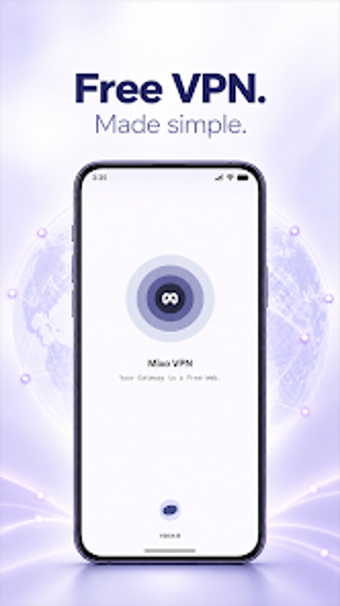
Mixo VPN: one-tap Android VPN for quick private connections
Mixo VPN, from Zen-one, is an Android utility that aims to protect privacy and bypass regional limits with minimal setup. The app creates an encrypted tunnel and uses automatic server selection to pick a fast, stable endpoint for browsing and streaming. It emphasises a single-tap workflow, compatibility with Wi‑Fi and mobile networks, and a small install footprint, making it suitable for everyday mobile users who want immediate privacy without technical configuration.
What Mixo does and how it initiates a private session
Mixo establishes an encrypted VPN tunnel after a single tap, activating protection without account registration, as noted in the app description. The connection step is automatic: the app negotiates a secure session and routes traffic through a chosen server, enabling users to protect browsing and access region-restricted content immediately. This model targets people who need quick protection on public networks without adjusting protocol settings or certificates manually.
How the app impacts network and device resources during use
Mixo selects the most efficient server automatically to prioritise speed and stability, which the developer highlights as its main optimisation. Because the app is described as lightweight and designed for Android, it places minimal storage demands and is intended to run over Wi‑Fi, 4G, and 5G. Users should expect normal mobile network overhead from encrypted tunnels while connected, rather than heavy continuous CPU use specified elsewhere.
Whether the app operates safely within a device environment
The app uses encryption for data in transit and follows safety practices to protect privacy during browsing, so it operates in a protective mode rather than altering stored system files. It does not require registration, reducing exposure of personal identity to the service. For users who apply system-level changes, this design keeps configuration steps at the network layer only, not by writing to device firmware or registry equivalents.
Who gains the most from Mixo and how much technical skill is needed
Mixo targets everyday mobile users who connect to public Wi‑Fi and want protection without setup complexity, as the one-tap and zero-configuration claims indicate. Casual users can operate the app without technical knowledge; advanced users seeking manual server control or protocol selection may find the automatic approach limiting. The app suits scenarios where speed and immediacy matter more than fine-grained configuration.
Practical judgement and recommendation
Mixo is a practical option for Android users who need fast, no-setup privacy when on public or mobile networks, with the trade-off that it offers little manual control for advanced tuning. As a concise tool for routine browsing protection and basic region access, it performs the intended role reliably. Recommended.